

How to Share a Folder in OneDrive
- Go to your OneDrive
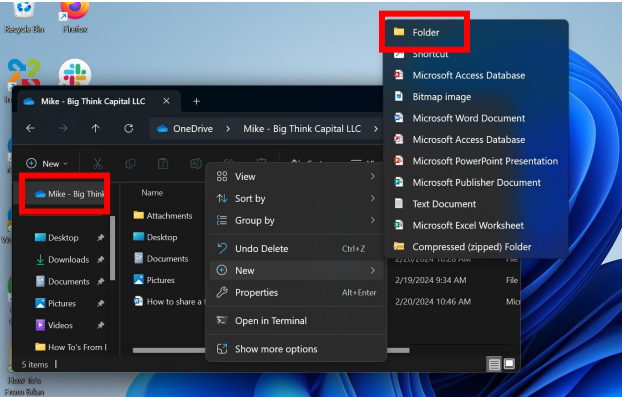
- If you don’t already have a folder named “Customers,” create one. Right-click inside your OneDrive, go to New → Folder, and name it Customers.
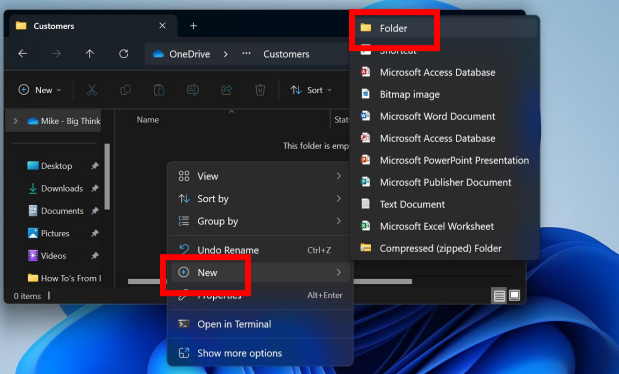
- Inside the “Customers” folder, make a new folder with your customer’s name.
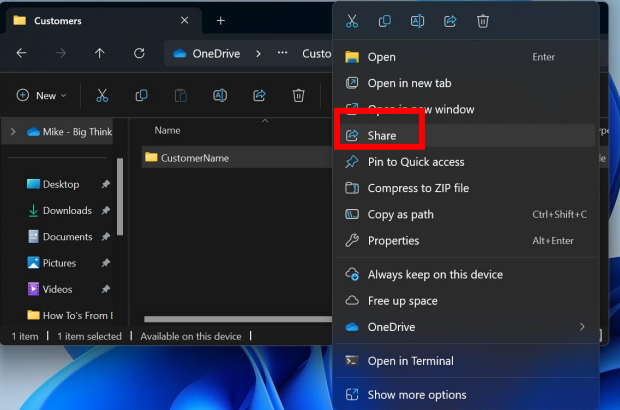
- Right-click the new folder and select Share.
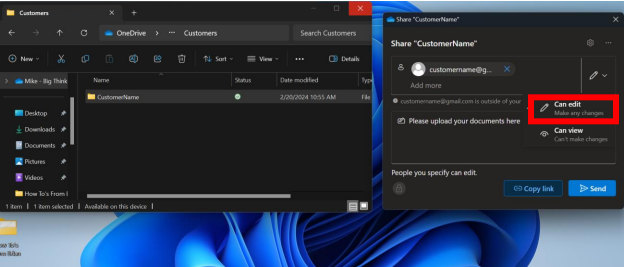
- Type the customer’s email address, then change permissions from “Can View” to “Can Edit.”
- You will not be notified when documents are uploaded — the customer must tell you, or you must check manually.

















