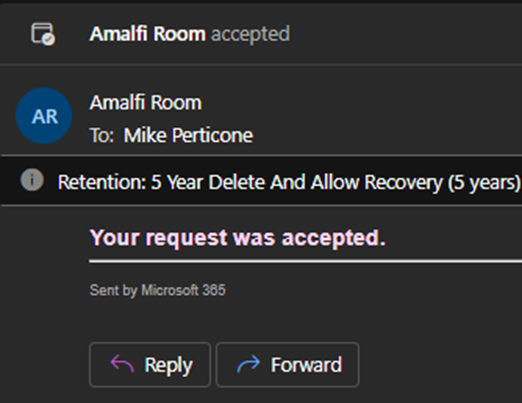
If there are no scheduling conflicts, you will receive an email notification from “Amalfi Room” confirming your request was accepted. This means the room is available at your chosen time.
You will receive a decline notification if the room is unavailable
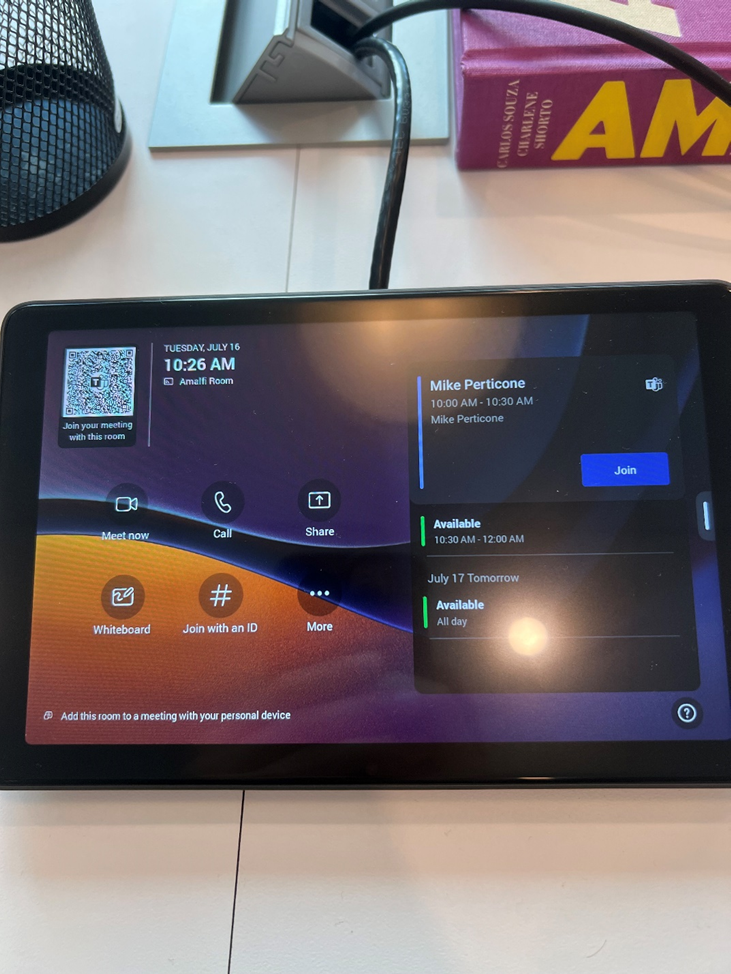
(You will also see your meeting time displayed on the Amalfi room television
Joining the Meeting:
At the scheduled time, simply press “Join” on the Amalfi Room’s equipment to start the meeting as “Amalfi Room.”
If the room is open and you would like to have a spontaneous meeting, follow these instructions
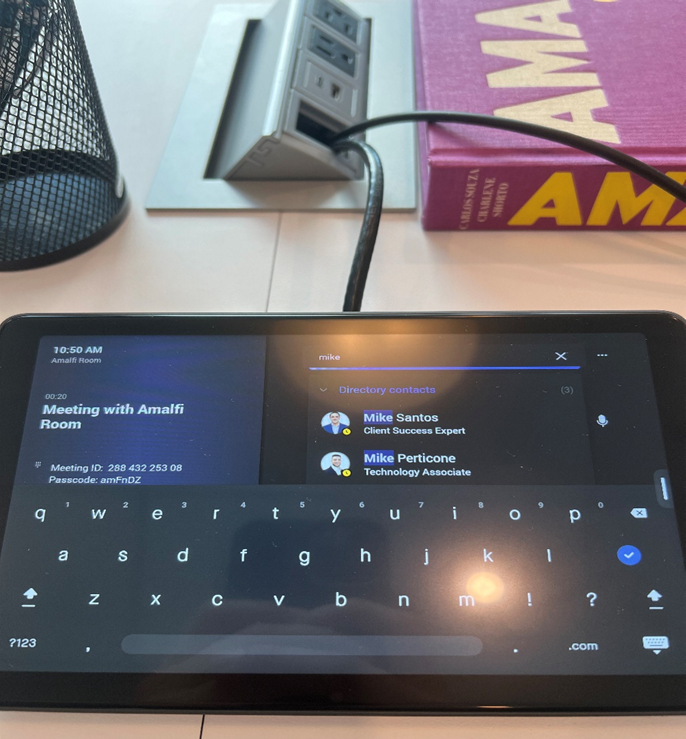
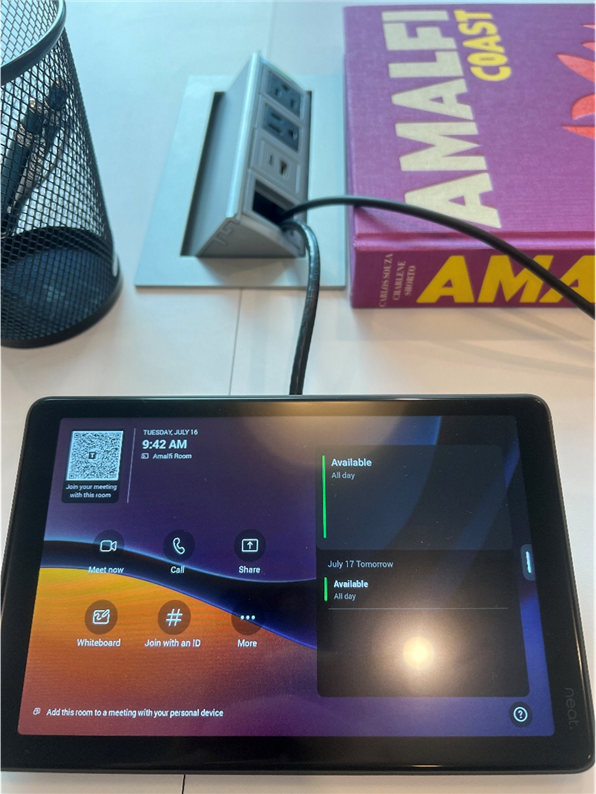
On the tablet, press meet now
You can add participants by typing their email addresses here and then pressing on their name
If you would like to join a meeting, follow these instructions
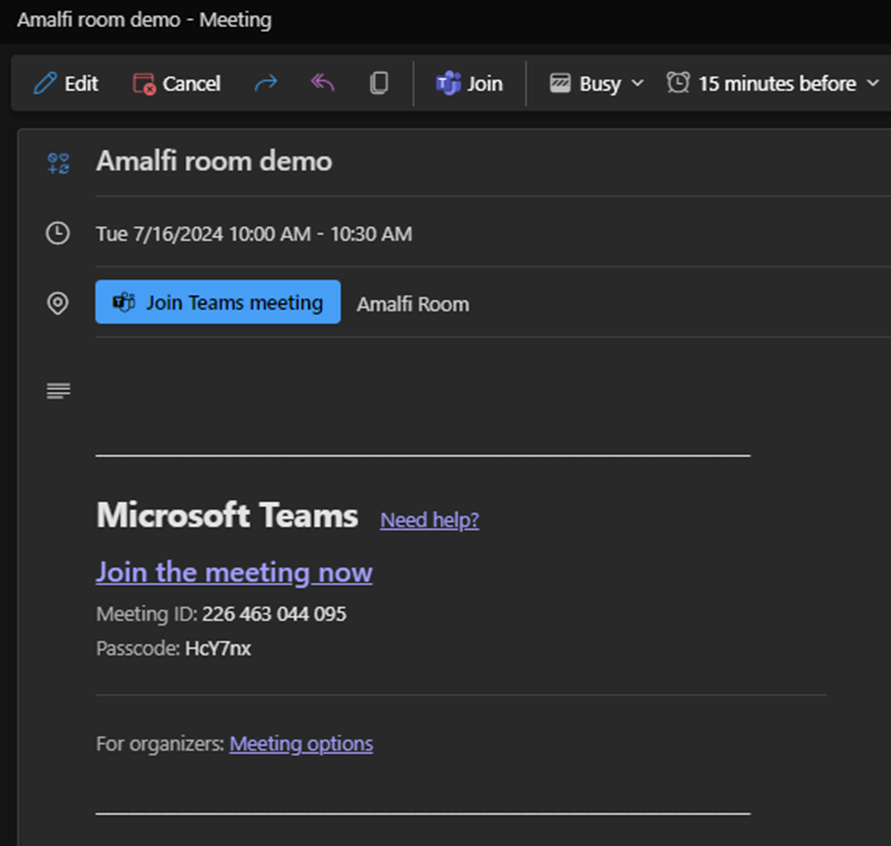
Go to the event on your outlook calendar and look for the Meeting ID and Passcode
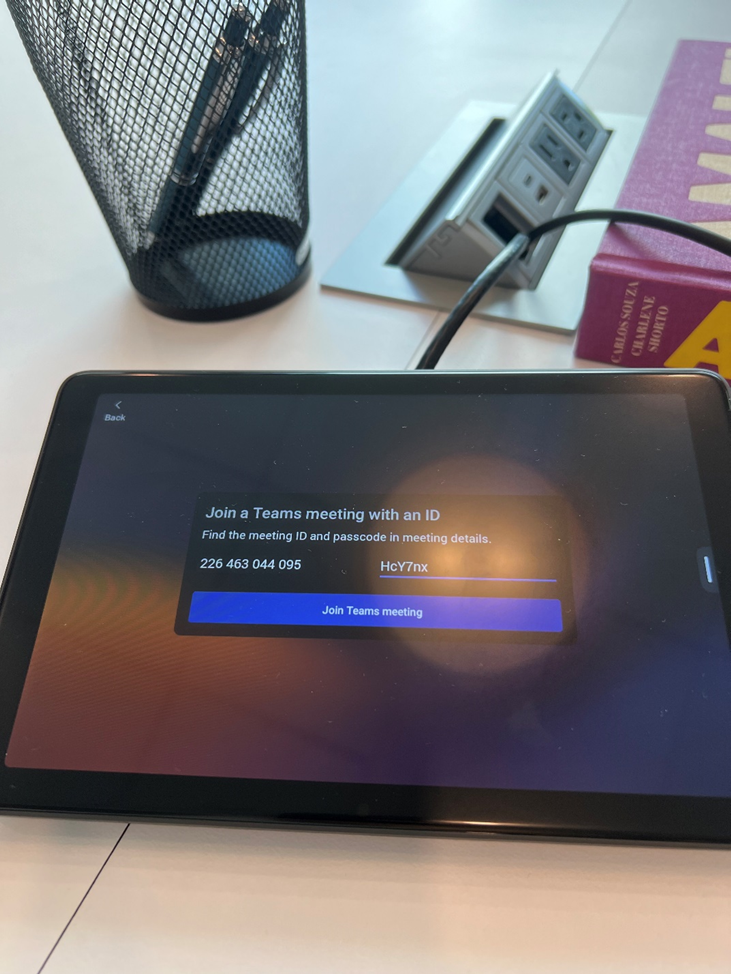
Press “Join with an ID” and enter the Meeting ID and Passcode
Press “Join Teams meeting”
IF YOU WOULD LIKE TO SHARE YOUR SCREEN , PLUG YOUR LAPTOP INTO THE HDMI CABLE NEXT TO THE TABLET AFTER YOU JOIN THE MEETING
When you are hosting a meeting, follow these instructions
Scheduling the Meeting:
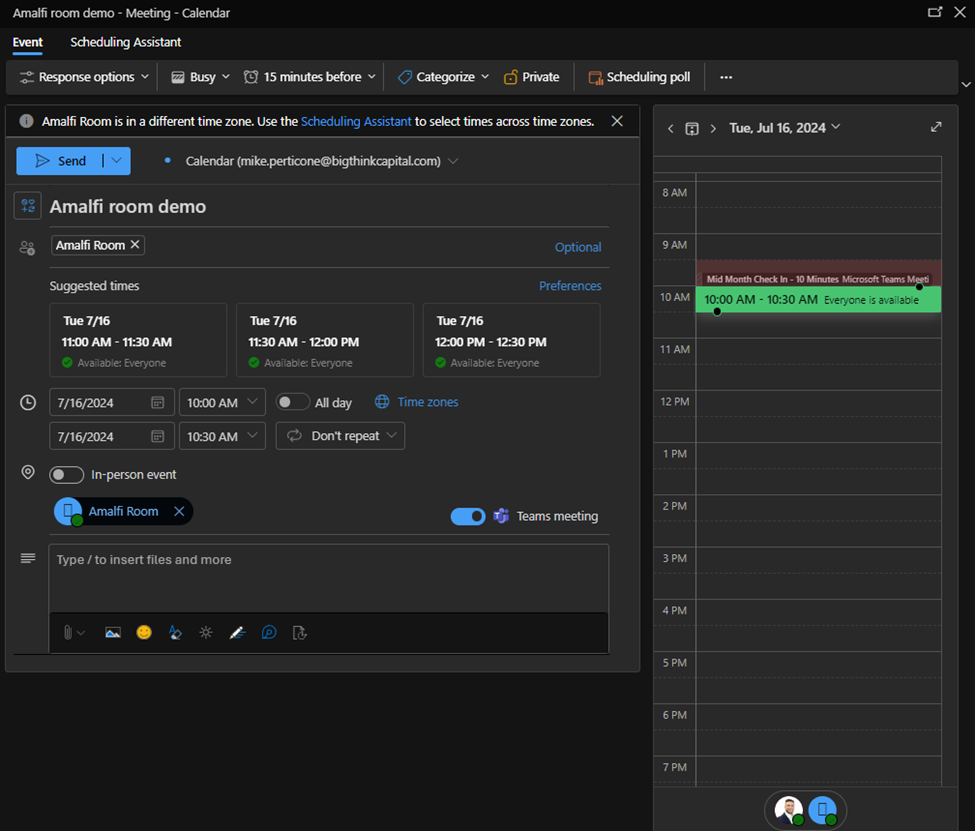
To schedule a meeting, create an Outlook meeting invite as you normally would.
Be sure to include Amalfi.room@bigthinkcapital.com as one of the participants.
Confirmation:
If there are no scheduling conflicts, you will receive an email notification from “Amalfi Room” confirming your request was accepted. This means the room is available at your chosen time.
You will receive a decline notification if the room is unavailable
(You will also see your meeting time displayed on the Amalfi room television
Joining the Meeting:
At the scheduled time, simply press “Join” on the Amalfi Room’s equipment to start the meeting as “Amalfi Room.”
If the room is open and you would like to have a spontaneous meeting, follow these instructions
On the tablet, press meet now
You can add participants by typing their email addresses here and then pressing on their name
If you would like to join a meeting, follow these instructions
Go to the event on your outlook calendar and look for the Meeting ID and Passcode
Press “Join with an ID” and enter the Meeting ID and Passcode
Press “Join Teams meeting”
IF YOU WOULD LIKE TO SHARE YOUR SCREEN , PLUG YOUR LAPTOP INTO THE HDMI CABLE NEXT TO THE TABLET AFTER YOU JOIN THE MEETING
When you are hosting a meeting, follow these instructions
Scheduling the Meeting:
To schedule a meeting, create an Outlook meeting invite as you normally would.
Be sure to include Amalfi.room@bigthinkcapital.com as one of the participants.
Confirmation:
If there are no scheduling conflicts, you will receive an email notification from “Amalfi Room” confirming your request was accepted. This means the room is available at your chosen time.
You will receive a decline notification if the room is unavailable
(You will also see your meeting time displayed on the Amalfi room television
Joining the Meeting:
At the scheduled time, simply press “Join” on the Amalfi Room’s equipment to start the meeting as “Amalfi Room.”
If the room is open and you would like to have a spontaneous meeting, follow these instructions
On the tablet, press meet now
You can add participants by typing their email addresses here and then pressing on their name
If you would like to join a meeting, follow these instructions
Go to the event on your outlook calendar and look for the Meeting ID and Passcode
Press “Join with an ID” and enter the Meeting ID and Passcode
Press “Join Teams meeting”
IF YOU WOULD LIKE TO SHARE YOUR SCREEN , PLUG YOUR LAPTOP INTO THE HDMI CABLE NEXT TO THE TABLET AFTER YOU JOIN THE MEETING
When you are hosting a meeting, follow these instructions
Scheduling the Meeting:
To schedule a meeting, create an Outlook meeting invite as you normally would.
Be sure to include Amalfi.room@bigthinkcapital.com as one of the participants.
Confirmation:
If there are no scheduling conflicts, you will receive an email notification from “Amalfi Room” confirming your request was accepted. This means the room is available at your chosen time.
You will receive a decline notification if the room is unavailable
(You will also see your meeting time displayed on the Amalfi room television
Joining the Meeting:
At the scheduled time, simply press “Join” on the Amalfi Room’s equipment to start the meeting as “Amalfi Room.”
If the room is open and you would like to have a spontaneous meeting, follow these instructions
On the tablet, press meet now
You can add participants by typing their email addresses here and then pressing on their name
If you would like to join a meeting, follow these instructions
Go to the event on your outlook calendar and look for the Meeting ID and Passcode
Press “Join with an ID” and enter the Meeting ID and Passcode
Press “Join Teams meeting”
IF YOU WOULD LIKE TO SHARE YOUR SCREEN , PLUG YOUR LAPTOP INTO THE HDMI CABLE NEXT TO THE TABLET AFTER YOU JOIN THE MEETING
The Tech Hub is your go-to resource for IT support and tool training. Find how-to guides, troubleshooting tips, and best practices for platforms like Outlook, Teams, OneDrive, Calendly, and more.
Can’t Find What You’re Looking For?
If you still need help or can’t locate the info you need, submit an IT support ticket and we’ll get back to you as soon as possible.
This August, Big Think Capital hit a new milestone — funding 1,075 deals totaling $32.56M. A record-breaking summer powered by teamwork, momentum, and dedication. 💪🌟
🔥 The road to Vegas starts now! From 9/5–10/17, each sales team battles head-to-head — and the top performer from every team wins a spot to represent BTC at the B2B Finance Expo in Las Vegas. Outperform. Outshine. Vegas is the prize. 🎲✨
🏆 The Legends Club celebrates agents who achieve extraordinary results, with exclusive perks like your portrait on the Legends Wall, custom gear, and annual outings. Greatness starts here.
🚀 Excited to welcome Scott Smith as our newest Funding Associate! With a background as a pro athlete, entrepreneur, and Johns Hopkins graduate, Scott brings energy and expertise to help businesses thrive.
The President’s Club is Big Think Capital’s newest recognition program, honoring our top performers with an exclusive tropical getaway this January. Club members earn their spot by surpassing ambitious goals, driving company success, and embodying excellence every day. This is more than a trip — it’s a celebration of hard work, teamwork, and achievement.